Enterprise system administrators and individual workstation operators are grappling with severe deployment failures following the mandatory rollout of security update KB5077181 across Windows 11 systems. Released during the February 2026 Patch Tuesday cycle, the cumulative security package advances operating system builds to 26100.7840 on version 24H2 and 26200.7840 on version 25H2. Microsoft engineered the update to patch critical kernel vulnerabilities while resolving persistent explorer.exe taskbar hanging, Nvidia graphics driver black screens, and commercial boot volume crashes. However, widespread endpoint telemetry indicates that the installation triggers abrupt bootloops, broken virtual private network adapters, and catastrophic servicing stack halts. Dispatched through standard Windows Update deployment rings, the update has forced IT departments to halt enterprise servicing rings as thousands of workstations fail to complete the post-reboot phase.
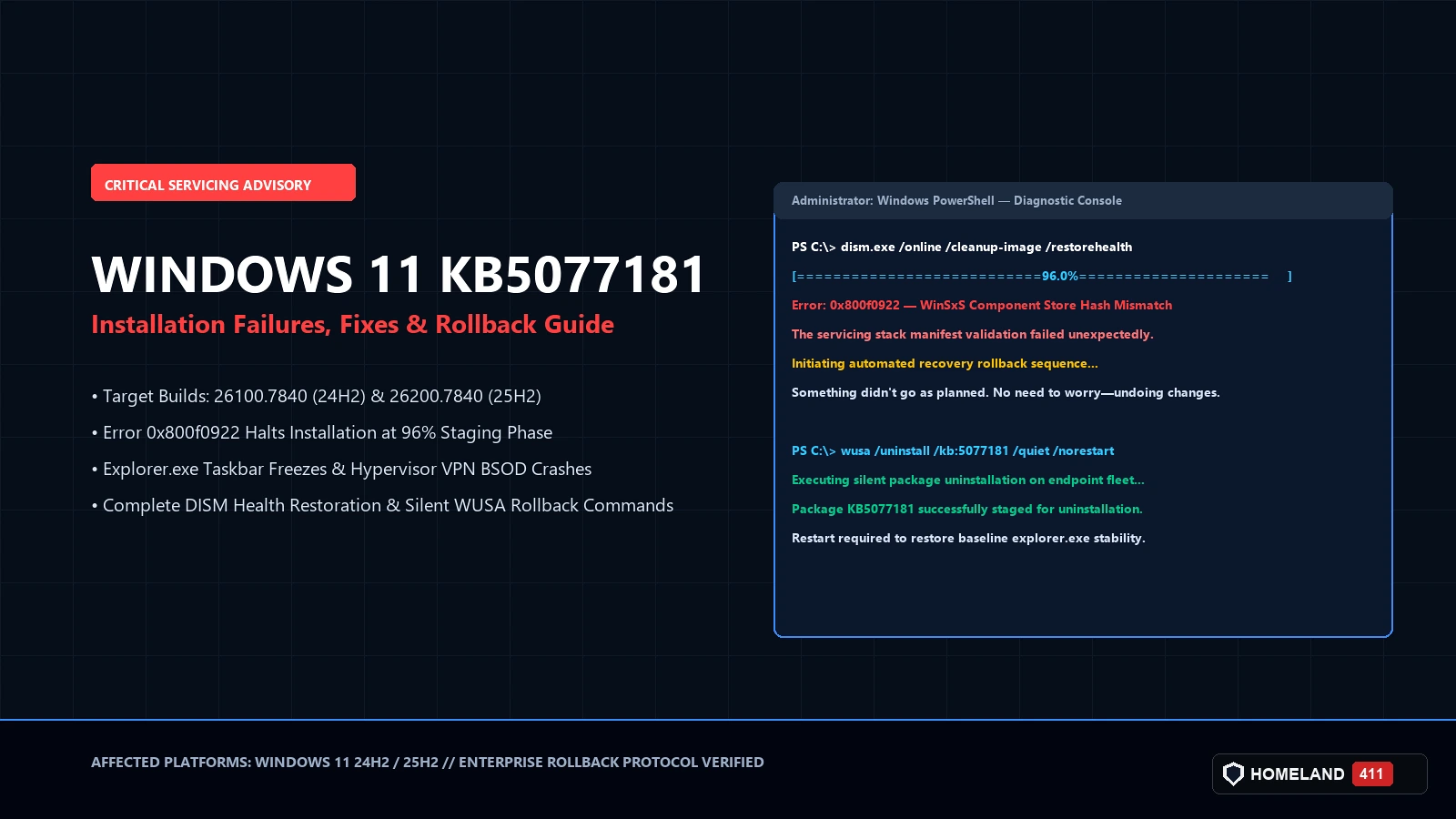
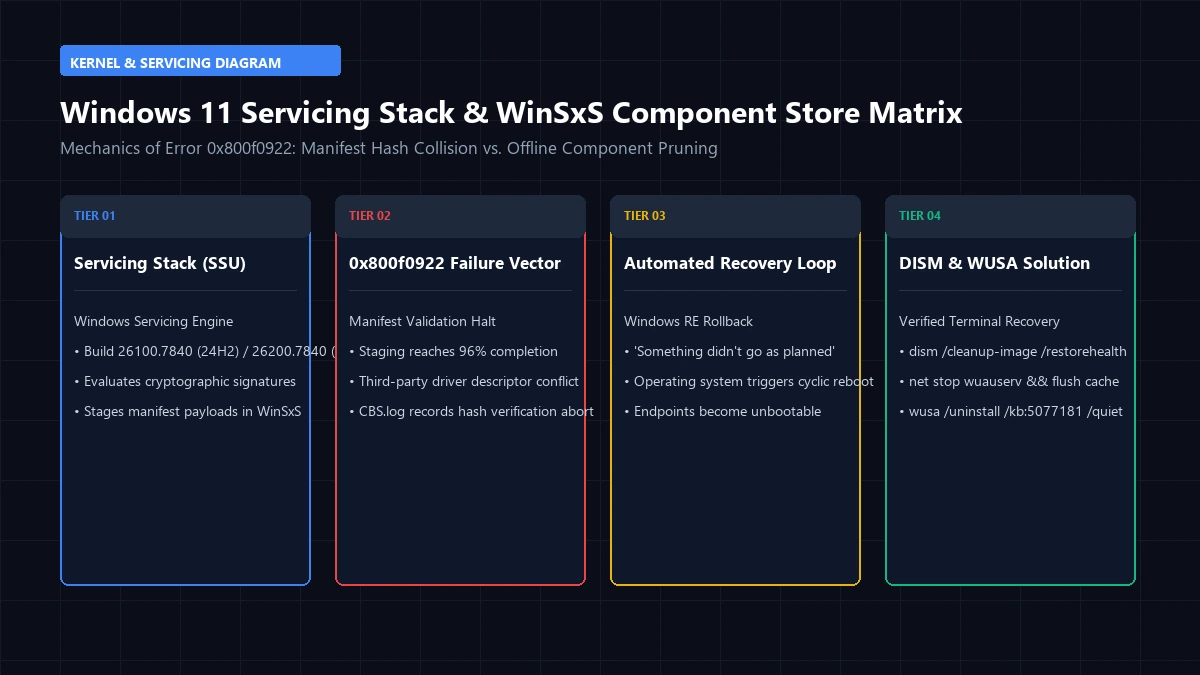
The primary symptom reported by affected administrators involves the notorious Windows Update error code 0x800f0922 occurring at ninety-six percent completion. When the local servicing stack attempts to validate staged component packages in the Windows component store, cryptographic manifest validation fails abruptly. The operating system initiates an automated rollback sequence, displaying the message Something didn’t go as planned, followed by repeated reboot cycles that can leave remote endpoints inaccessible. Secondary enterprise telemetry reveals that endpoints that successfully bypass the initial setup frequently suffer complete explorer.exe execution freezes, preventing users from opening Start menus or interacting with system tray network applets. Workstations freeze completely.
Never Miss An UpdateFollow us on Google News to get our latest security, defense and cyber reporting in your feed. It’s free and takes one tap.
Follow on Google NewsMicrosoft engineering teams have acknowledged isolated servicing issues impacting component staging, though an automated out-of-band resolution has not yet deployed across public servicing branches. System architects investigating early crash dumps indicate that the flaw originates from an unhandled registry descriptor conflict between third-party security software and updated kernel telemetry interfaces. Because unpatched systems remain vulnerable to remote code execution exploits targeting unauthenticated network protocols, IT managers face an acute operational dilemma. Deployment halts immediately. Administrators must balance zero-day defense boundaries against workstation desktop stability. To restore operational resilience, systems engineers have developed verified offline servicing and PowerShell rollback protocols.
Servicing Stack Component Failures and Build Telemetry
In-depth examination of CBS.log crash files reveals that the servicing stack failure stems from corrupt component store manifests located within the WinSxS directory hierarchy. During the update staging sequence, the operating system attempts to replace legacy driver packages while verifying digital signatures against the Secure Boot database. If an endpoint contains residual staging files from previous cumulative packages or customized Group Policy servicing restrictions, the hash verification aborts abruptly. This unhandled exception triggers error code 0x800f0922, prompting the Windows recovery subsystem to undo changes. Servicing loops repeat endlessly without actionable diagnostic codes.
In enterprise domain environments, the disruption extends beyond basic installation aborts to active network isolation. Workstations running modernized virtualization-based security report that updated hypervisor drivers clash with virtual private network filter drivers. Enterprise endpoints attempting to establish remote corporate tunnels experience instant Blue Screen of Death crashes citing kernel security check failures. Network administrators have observed that disabling hardware-enforced stack protection mitigates the hypervisor panic, though this temporary workaround compromises system integrity against advanced memory corruption attacks.
| Target Windows Build | Reported Error Code | Servicing Failure Vector | Verified Remediation Protocol |
|---|---|---|---|
| Build 26100.7840 (24H2) | 0x800f0922 | WinSxS Component Hash Mismatch | Execute DISM Cleanup via Elevated CMD |
| Build 26200.7840 (25H2) | 0x80070002 | Missing Cryptographic Manifest | Clear SoftwareDistribution Download Cache |
| All Servicing Branches | 0x800f081f | Servicing Stack Path Conflict | Deploy Standalone Microsoft Catalog MSU |
| Virtualization Endpoints | KERNEL_SECURITY_CHECK | VPN Filter Driver Hypervisor Crash | Roll Back Driver Package via Safe Mode |
| Workstation Shell | Explorer Deadlock | Taskbar UI Shell Thread Deadlock | Apply Registry Desktop Shell Mitigation |
Verified Remediation and Command-Line Rollback Guide
For systems trapped in recurring reboot loops or experiencing persistent explorer.exe deadlocks, administrative recovery requires booting into the Windows Recovery Environment. Once inside the Advanced Startup command prompt, systems engineers can execute precise servicing commands to purge corrupted staging packages without risking user document loss. Administrators managing unmanaged remote systems should instruct users to interrupt the boot sequence three consecutive times to trigger the automated diagnostics interface.
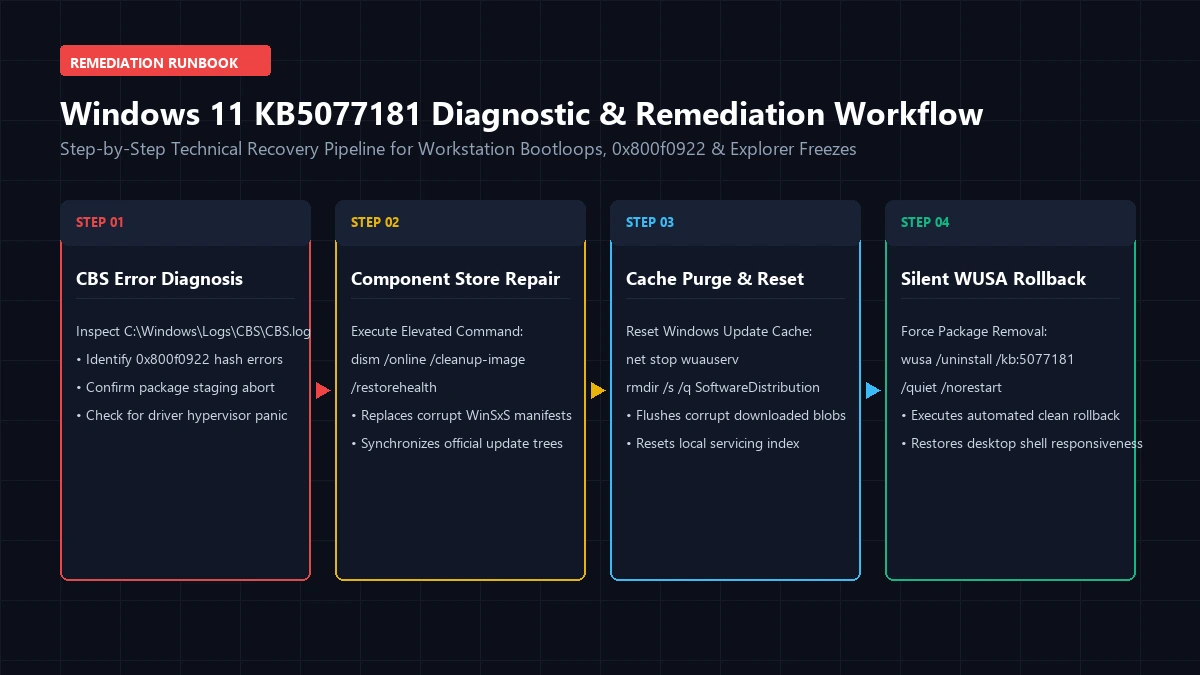
The first mandatory corrective measure requires executing the Deployment Image Servicing and Management utility to repair the local component store. When executed alongside the System File Checker, this sequence restores missing cryptographic manifests before reattempting installation. If the cumulative package has already corrupted desktop stability, administrators must execute the standalone Windows Update Standalone Installer command line to force package uninstallation immediately.
- Component Store Cleanup: Launch an elevated command prompt and execute
dism.exe /online /cleanup-image /restorehealthto repair corrupted staging manifests from official Microsoft servicing mirrors. - Software Distribution Reset: Terminate Windows Update services and clear cached files by running
net stop wuauserv && rmdir /s /q C:\Windows\SoftwareDistributionbefore restarting update services. - Silent Package Uninstallation: Force package removal across remote fleets by deploying the command line
wusa /uninstall /kb:5077181 /quiet /norestartthrough administrative endpoint scripts. - Standalone MSU Sourcing: Download the offline installer directly from the Microsoft Update Catalog to bypass corrupted local Windows Update staging pipelines.
Enterprise Patch Governance and Vulnerability Exposure
Uninstalling or pausing cumulative security updates re-exposes enterprise networks to the exact zero-day exploits patched in the current monthly release. The KB5077181 update addresses multiple high-severity vulnerabilities, including elevation of privilege flaws in the Windows Kernel and remote code execution vulnerabilities in RPC runtime services. Security directors must weigh the acute risk of endpoint operational paralysis against the elevated threat of unauthenticated network compromise. In regulated enterprise environments subject to federal compliance mandates, prolonged servicing pauses violate continuous scanning benchmarks. Risk accumulates rapidly across corporate networks.
Enterprise defense teams must implement compensatory network controls while workstations await out-of-band Microsoft hotfixes. These interim safeguards include tightening firewall perimeters around vulnerable administrative ports, restricting untrusted remote desktop protocol connections, and deploying behavioral endpoint detection rules capable of catching kernel exploitation attempts. Large organizations utilizing Windows Server Update Services or Microsoft Intune should split fleets into staged validation rings, isolating ten percent of non-critical workstations to observe deployment stability prior to broad production release.
Software quality assurance across modern modular operating systems has grown increasingly complex as enterprise environments adopt heterogeneous hardware profiles. With billions of distinct driver combinations, legacy peripherals, and specialized enterprise management agents running across client endpoints, cumulative updates inevitably introduce unanticipated edge-case conflicts. Security architects emphasize that modern cyber resilience requires rapid rollback agility and granular automated testing infrastructure rather than blind reliance on automated vendor update pipelines.
The Forward Horizon
Microsoft engineering is actively compiling an expedited Known Issue Rollback definition to neutralize the corrupted servicing stack routines remotely. Once the cloud-managed policy propels through enterprise tenant channels, managed endpoints will automatically bypass the conflicting driver calls without requiring manual technician intervention. In the interim, IT leaders must maintain proactive diagnostic monitoring across endpoint fleet telemetry to intercept recurring 0x800f0922 installation failures. System resilience depends on balancing rapid vulnerability remediation against the imperative requirement for continuous operational availability.